The groovebox that grew into a studio.

Five synth engines, four drum kits and a sampler. Clips, scenes and punches when you're playing, and a full song timeline when you're ready to finish it.

Coming to iPad and iPhone Free to download Optional Pro

1Play it

Don't read about it. Press play.

A small piece of the app, running in your browser with sounds from its own engines. Change the steps, mute a track, and switch scenes. They wait for the bar line, as they do on Stage.

1.1.1
124BPM

Scenes

KICK
SNARE
CLAP
RIM
HAT C
HAT O

Drums, Dunno and FM6, rendered by the app's own engines. Strike a pad higher to hit it harder.

2Five screens

One flow, from first idea to finished song.

Stage

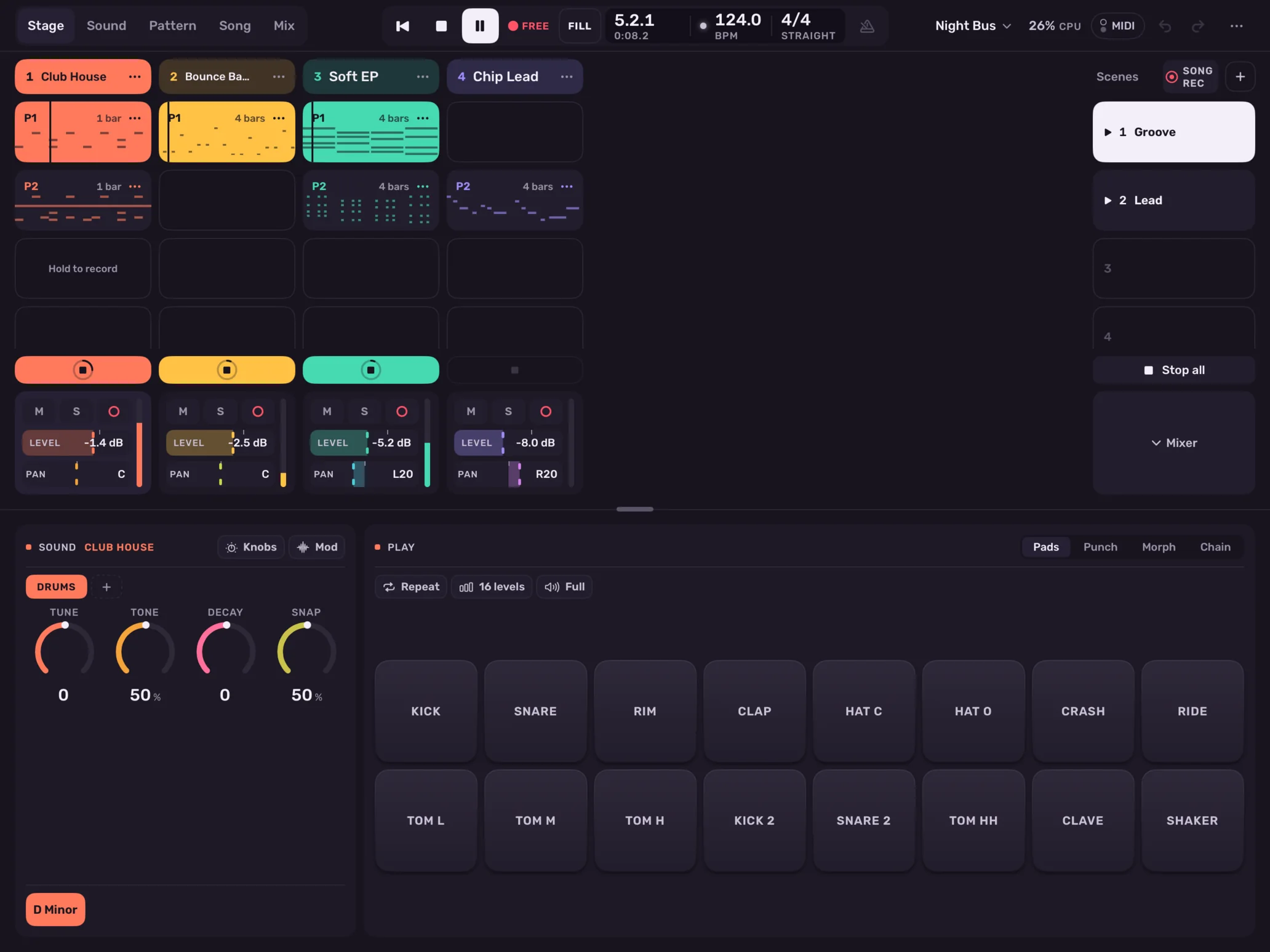
Play it like an instrument.

Clips launch on the bar. Scenes carry their own tempo, meter, swing and key. Hold an empty slot to record into it, and keep going.
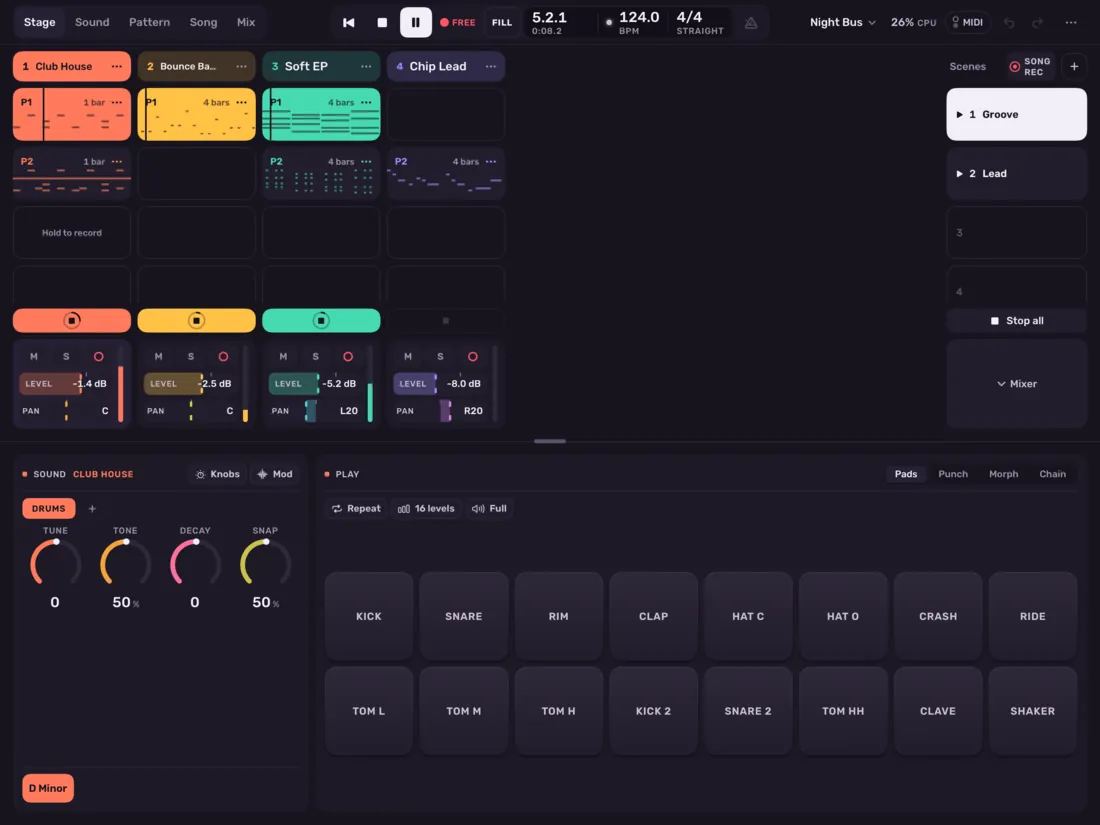
The Stage screen

Sound

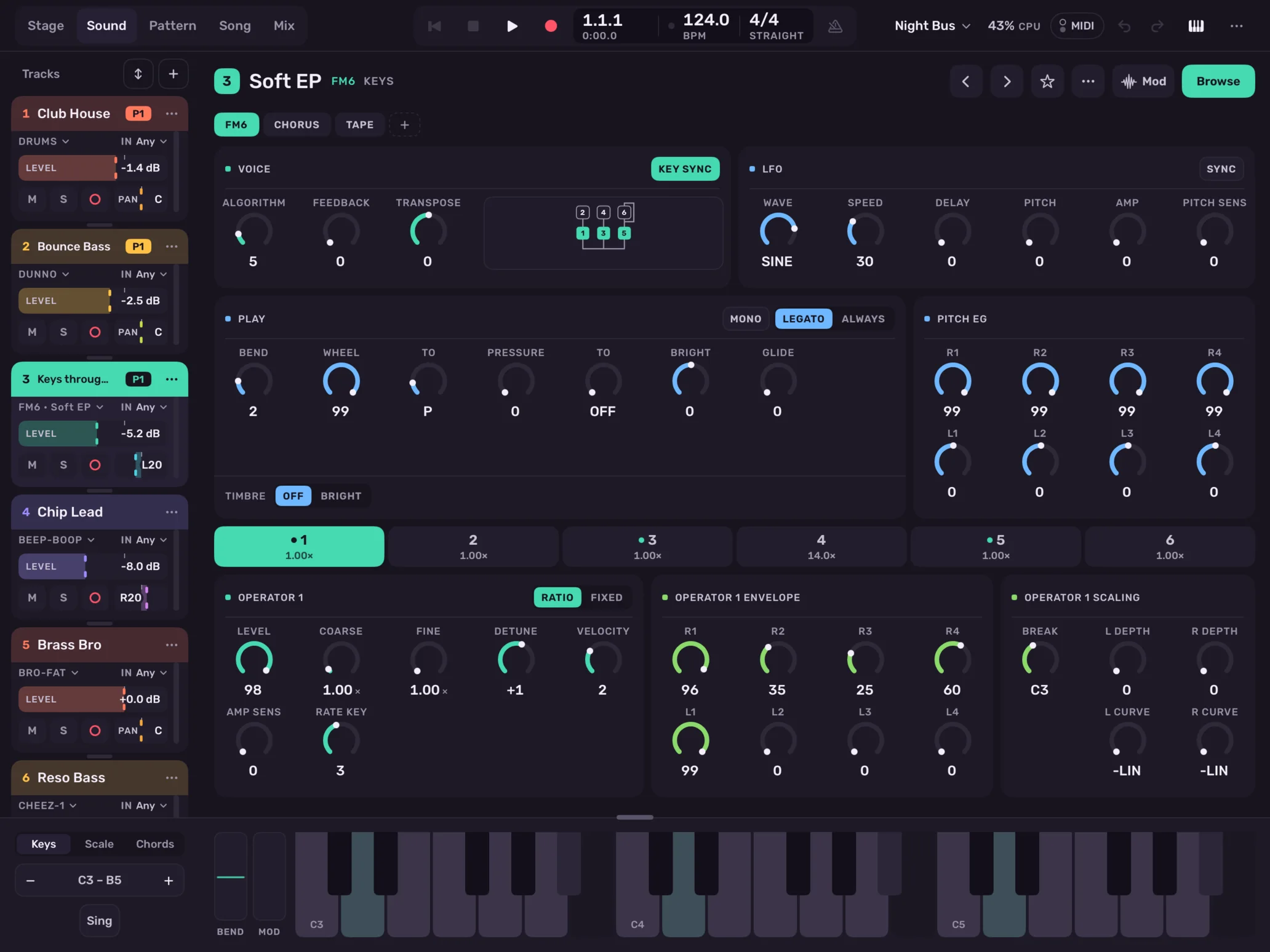
Every parameter, spelled out.

RESONANCE, not RES. Each engine is laid out on one page you can read at a glance, with instruments, note effects and audio effects on one chain.
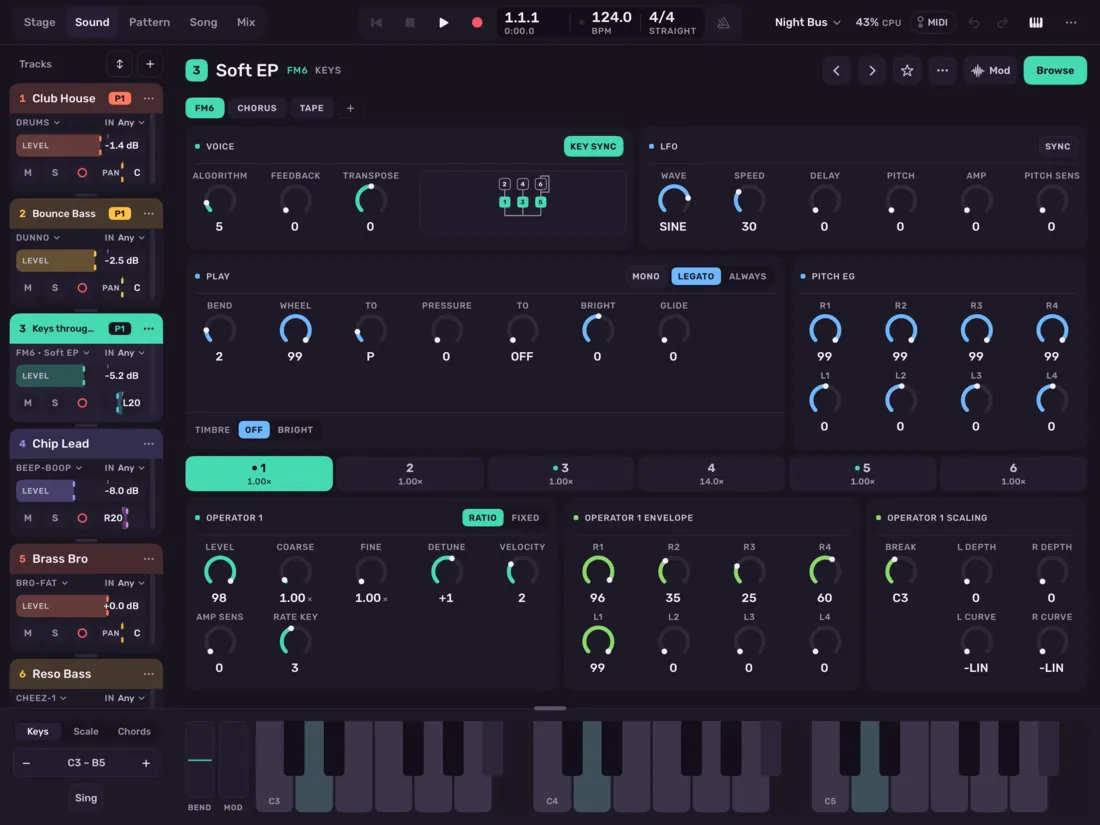
The Sound screen

Pattern

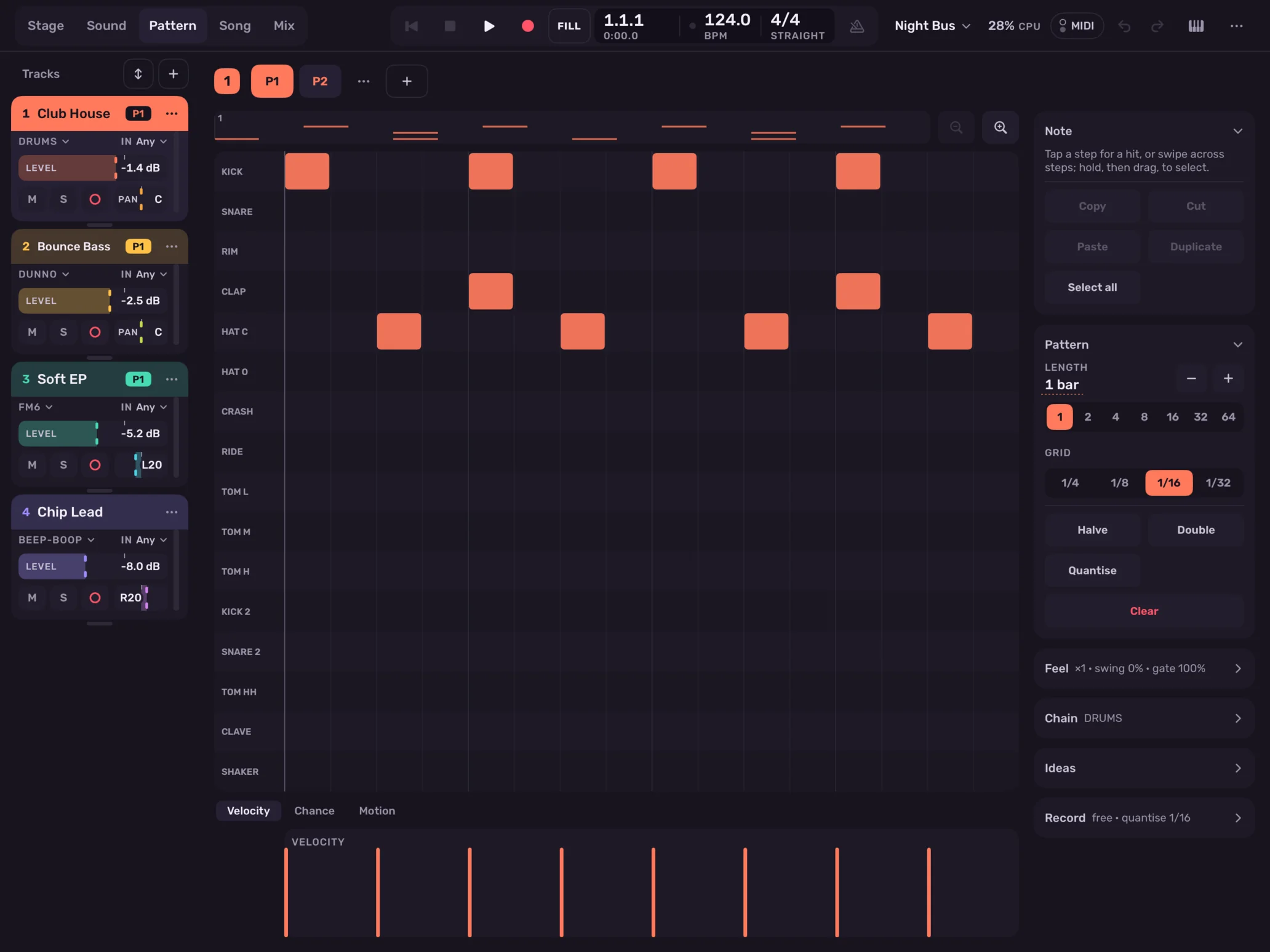
Steps that do more than play.

Piano roll and drum grid, with chance, ratchets, slides and nudges on every note. Set which passes a note plays on, from 1:2 to 8:8, and let drum lanes loop at their own lengths.
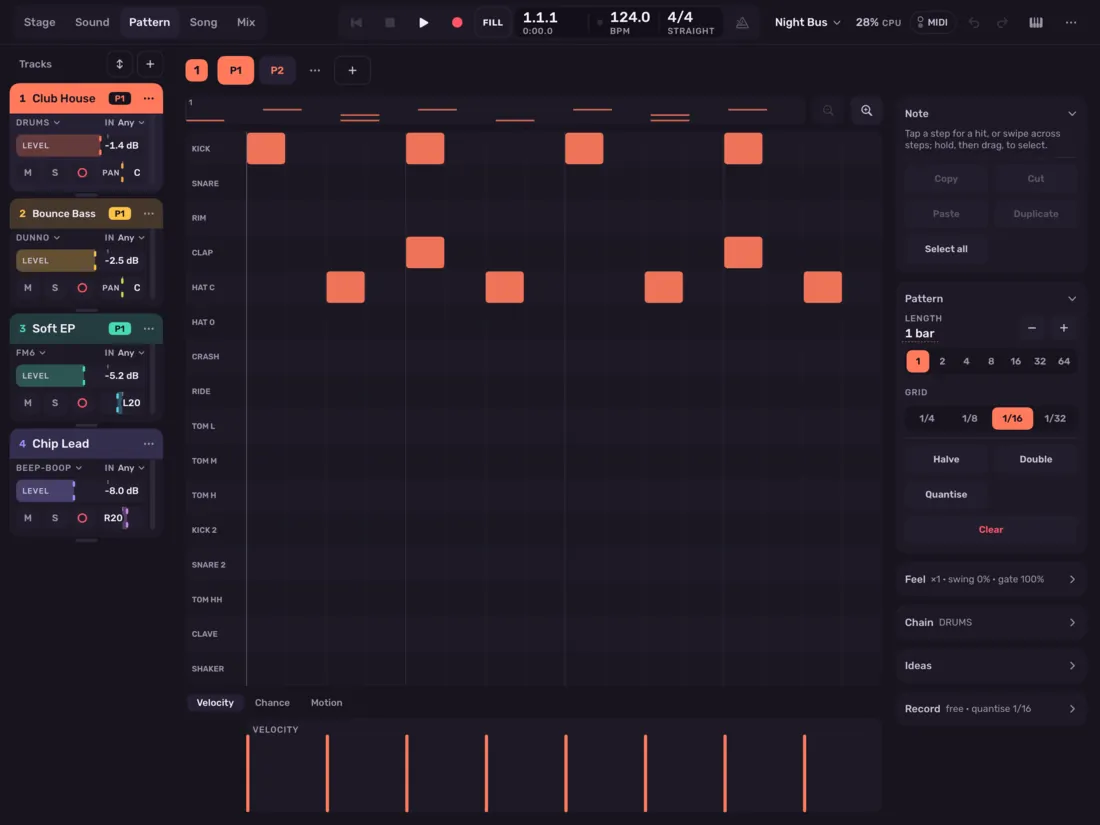
The Pattern screen

Song

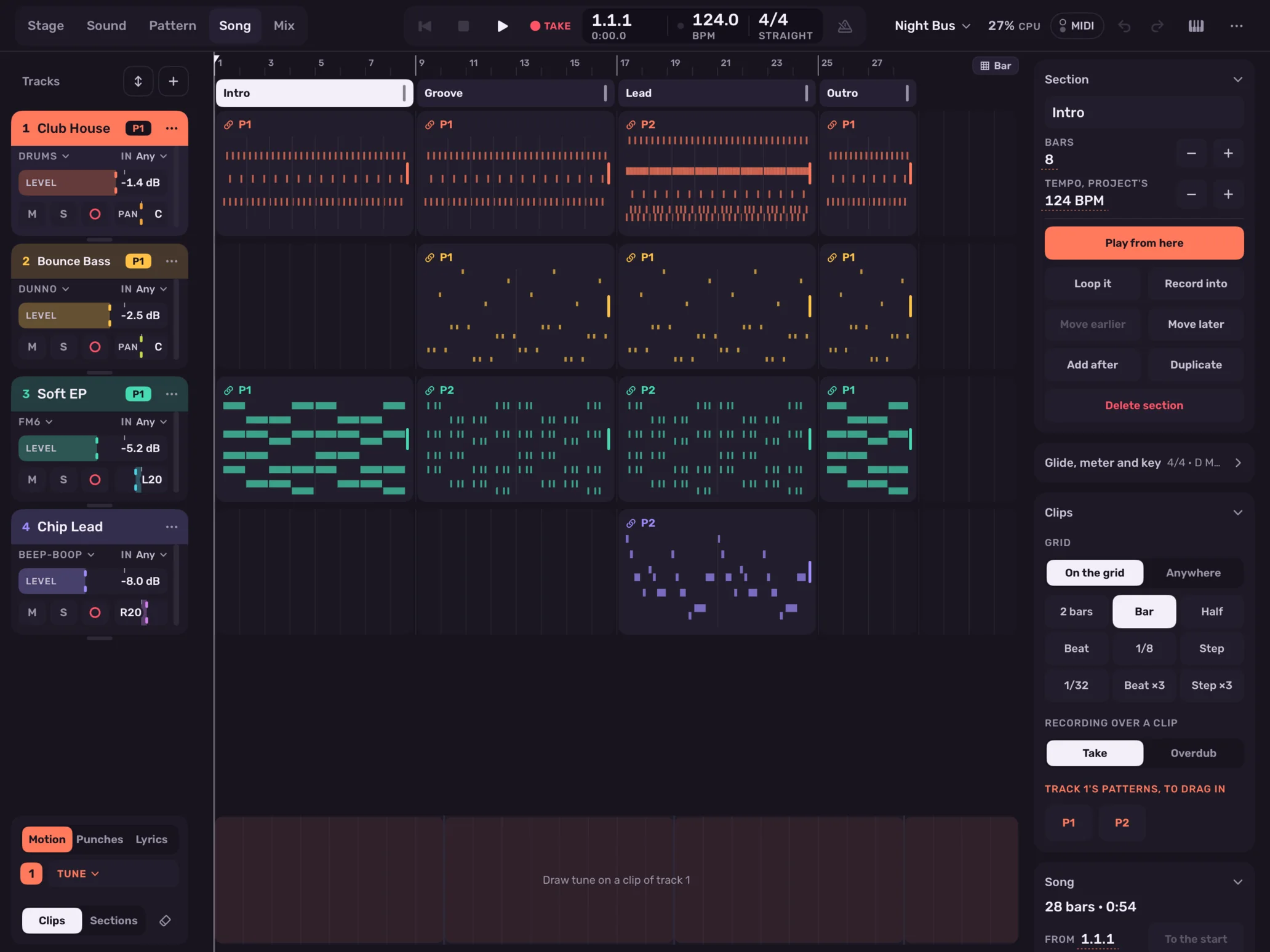
Then finish the song.

Place clips on a timeline under sections with their own tempo, meter and key. Draw motion as curves, record takes into lanes and comp them bar by bar, and put the words on the bars.
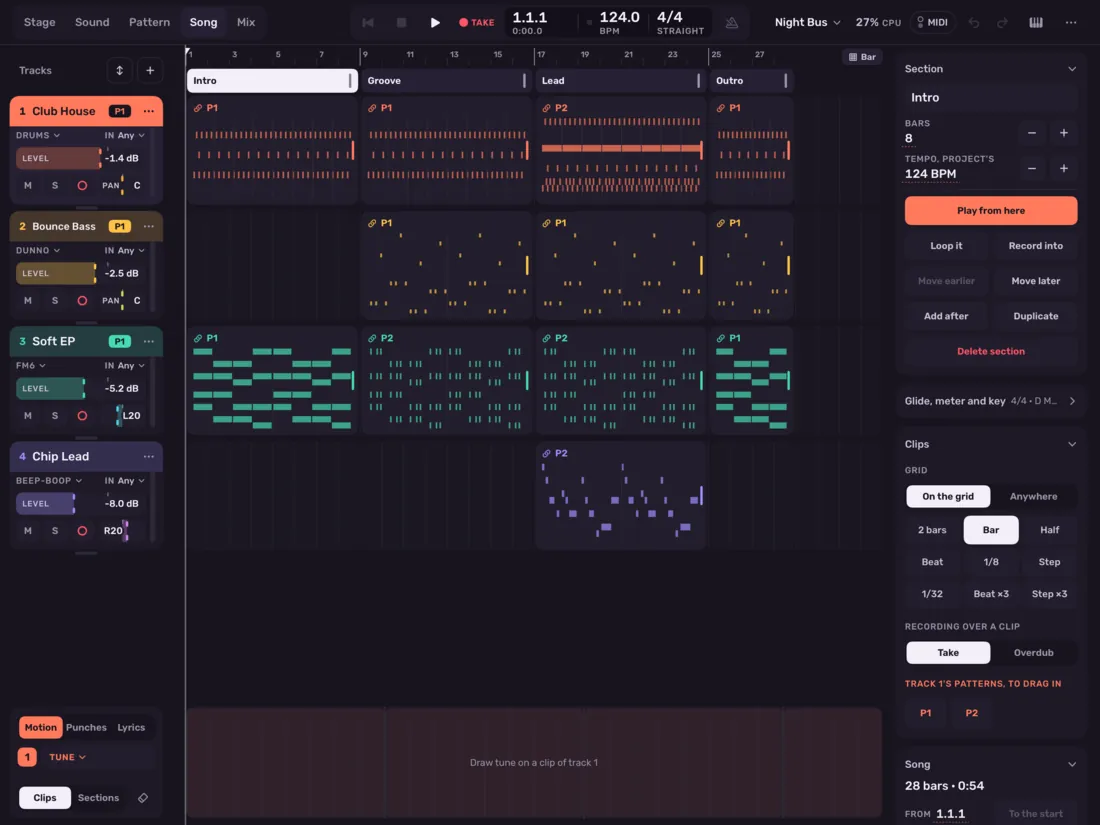
The Song screen

Mix

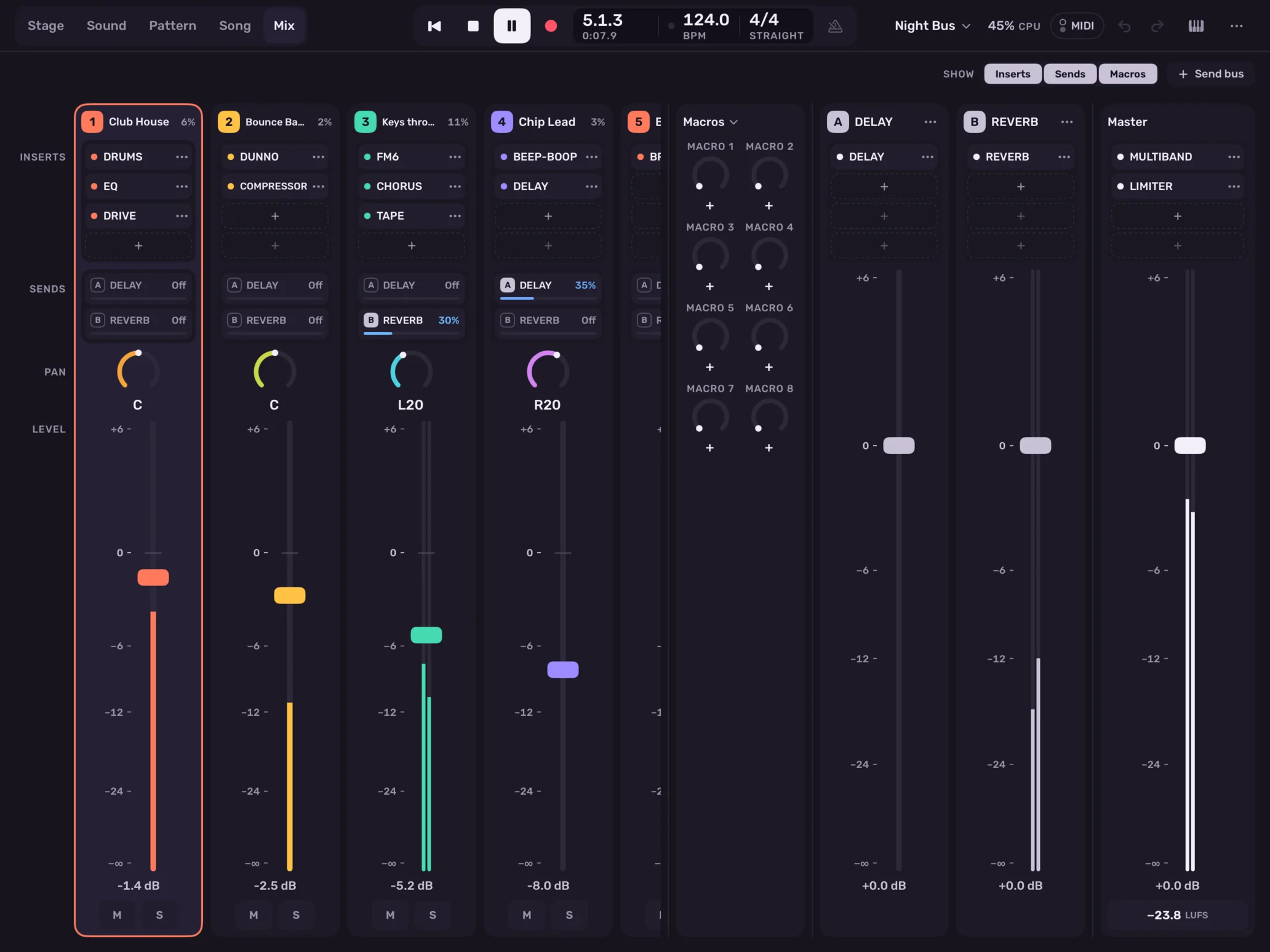
A real mixer, with real meters.

Effect chains on every track, bus and the master. Any number of send buses, sidechain from any track, latency made up across the mix, and loudness, range and history on the master.
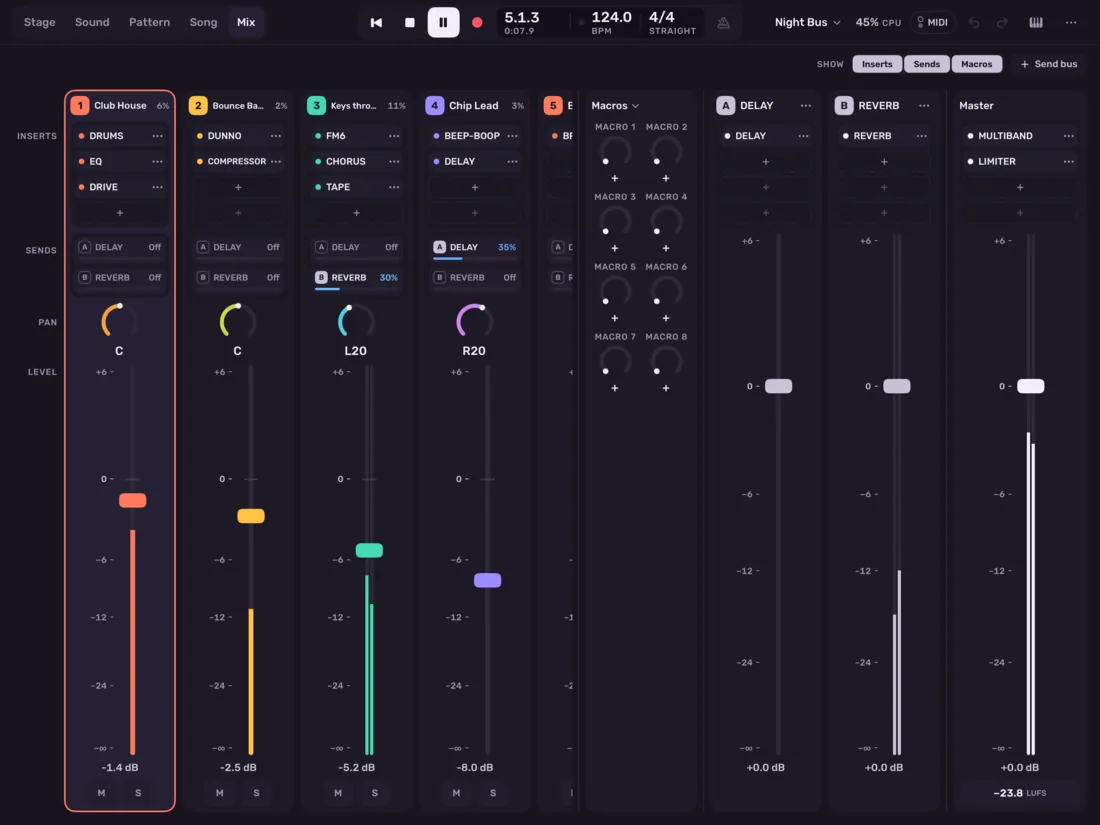
The Mix screen

On iPhone

The same app, on its side.

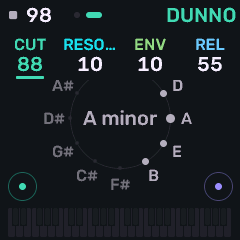
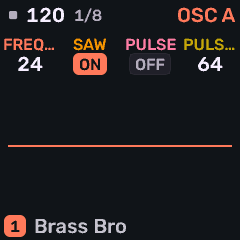
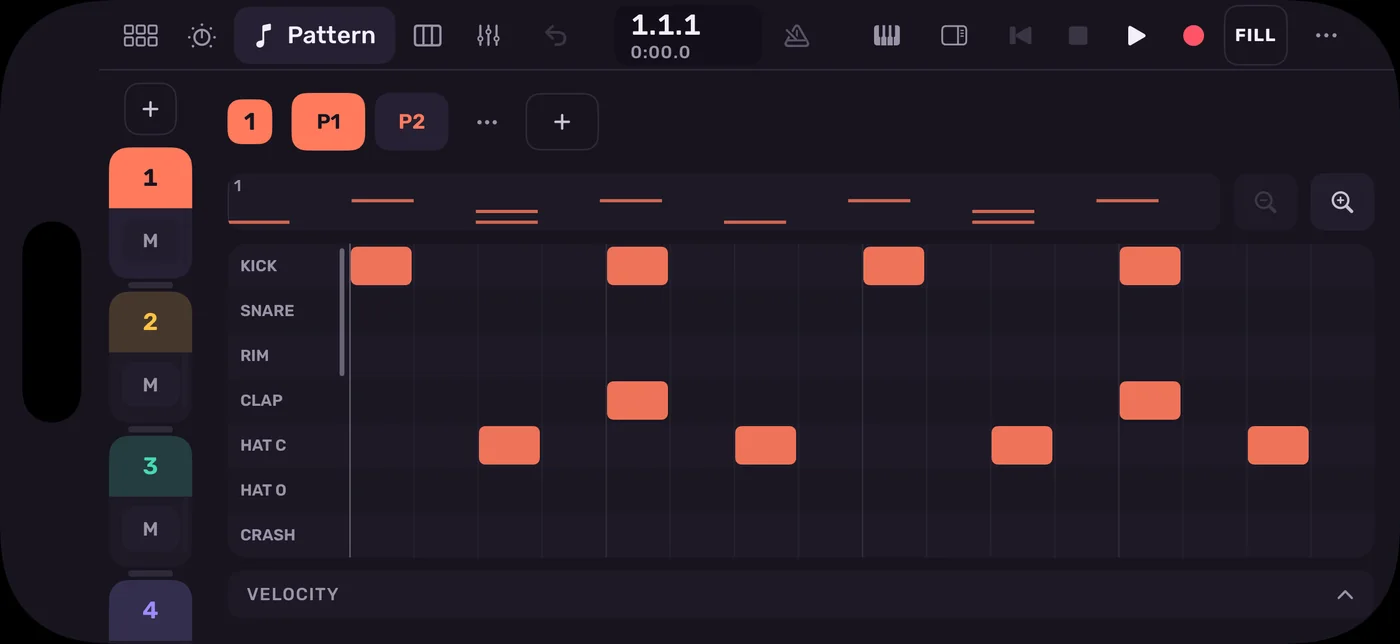
Every screen is there, reworked for thumbs and a short window. Start a beat on the bus and finish it on the iPad.
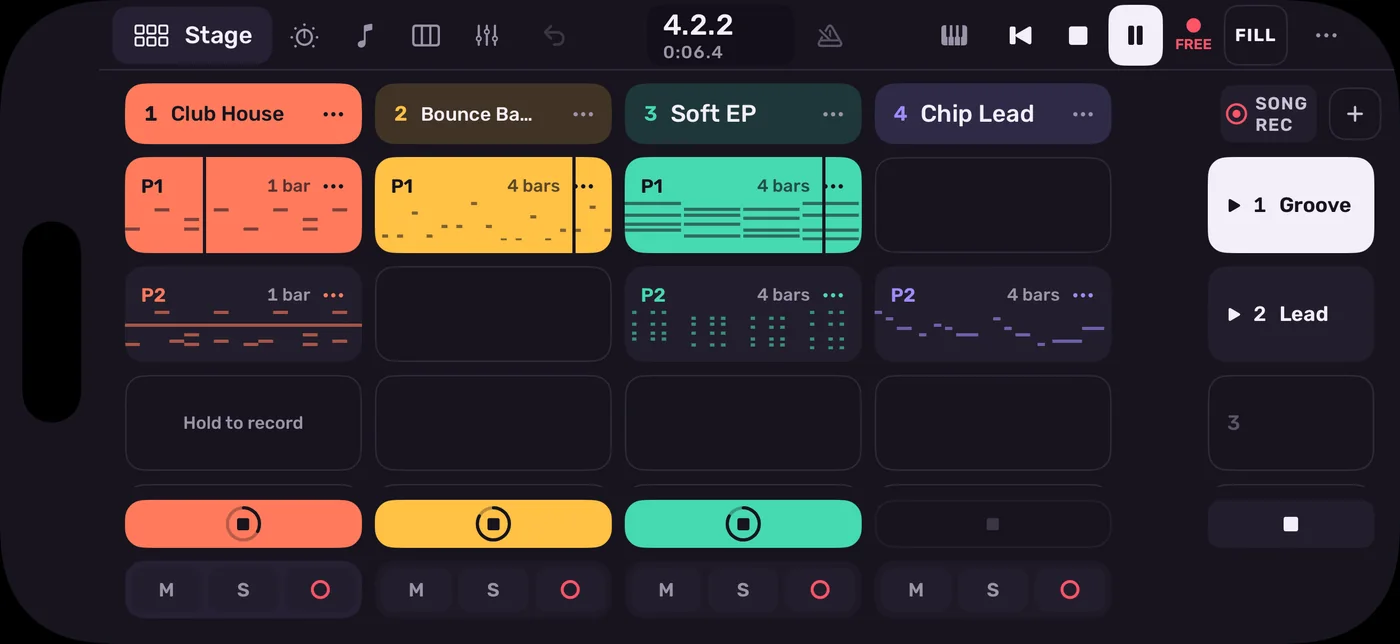
Stage on iPhone
The drum grid on iPhone

3Engines

Seven ways to make a sound.

Layer any of them on a track. Every sound below is a factory sound, rendered by the app.
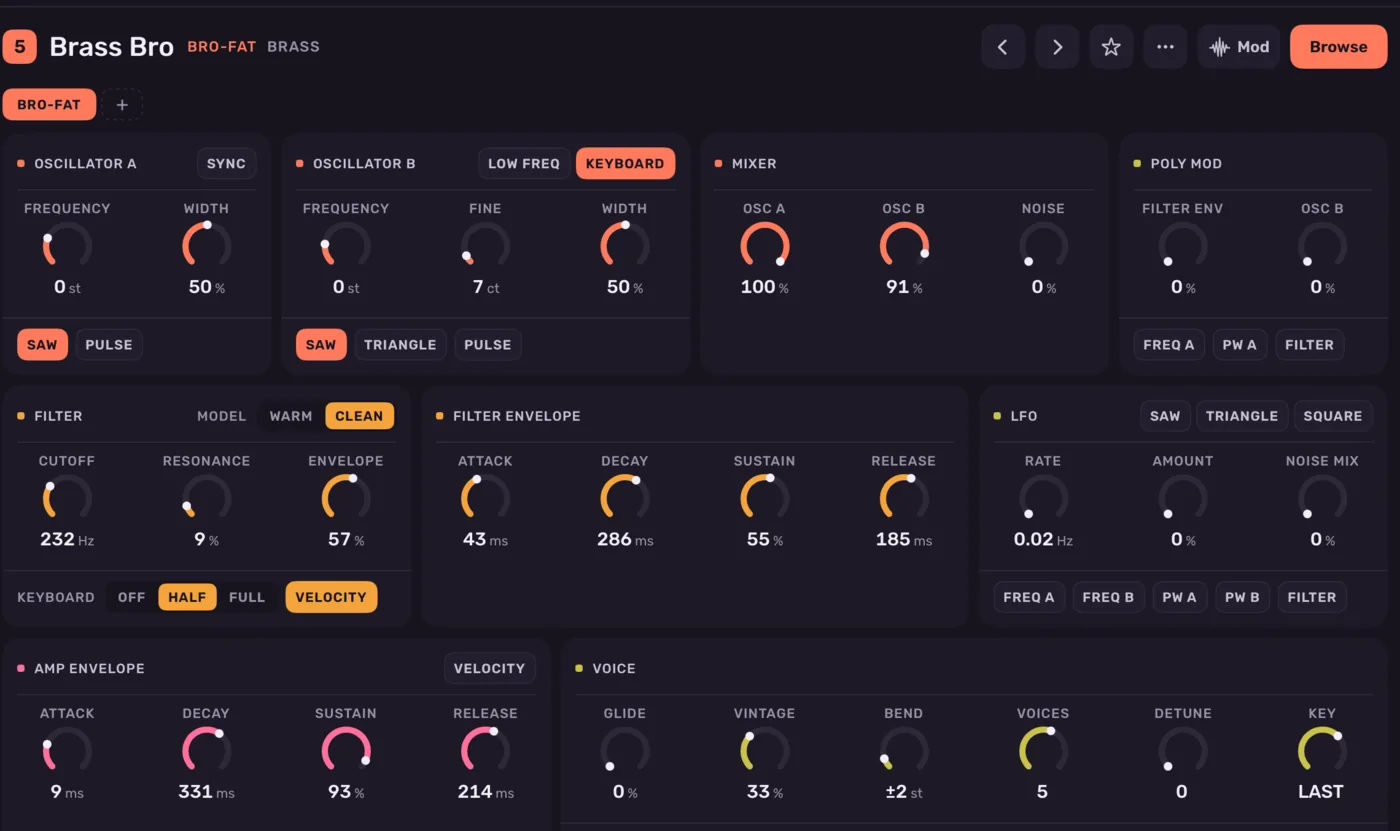
The Bro-fat sound page

Fat analogue poly

Bro-fat

Two oscillators, poly mod and a filter. Play it poly or stack it in unison, with bend, mod wheel and pressure.
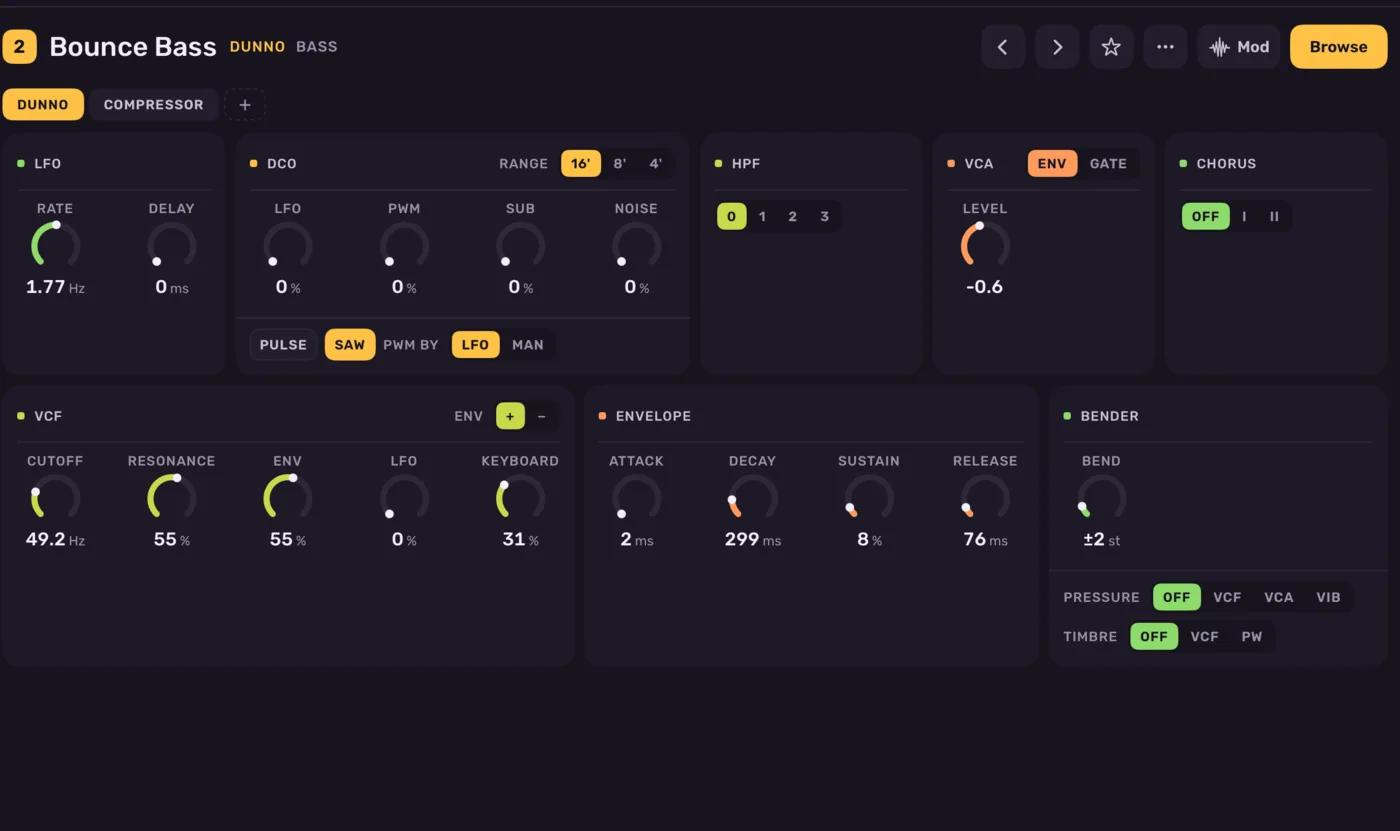
The Dunno sound page

Sixteen voices and a chorus

Dunno

One oscillator a voice, a four-pole filter and a chorus you already know how to use. Strings and basses for days.
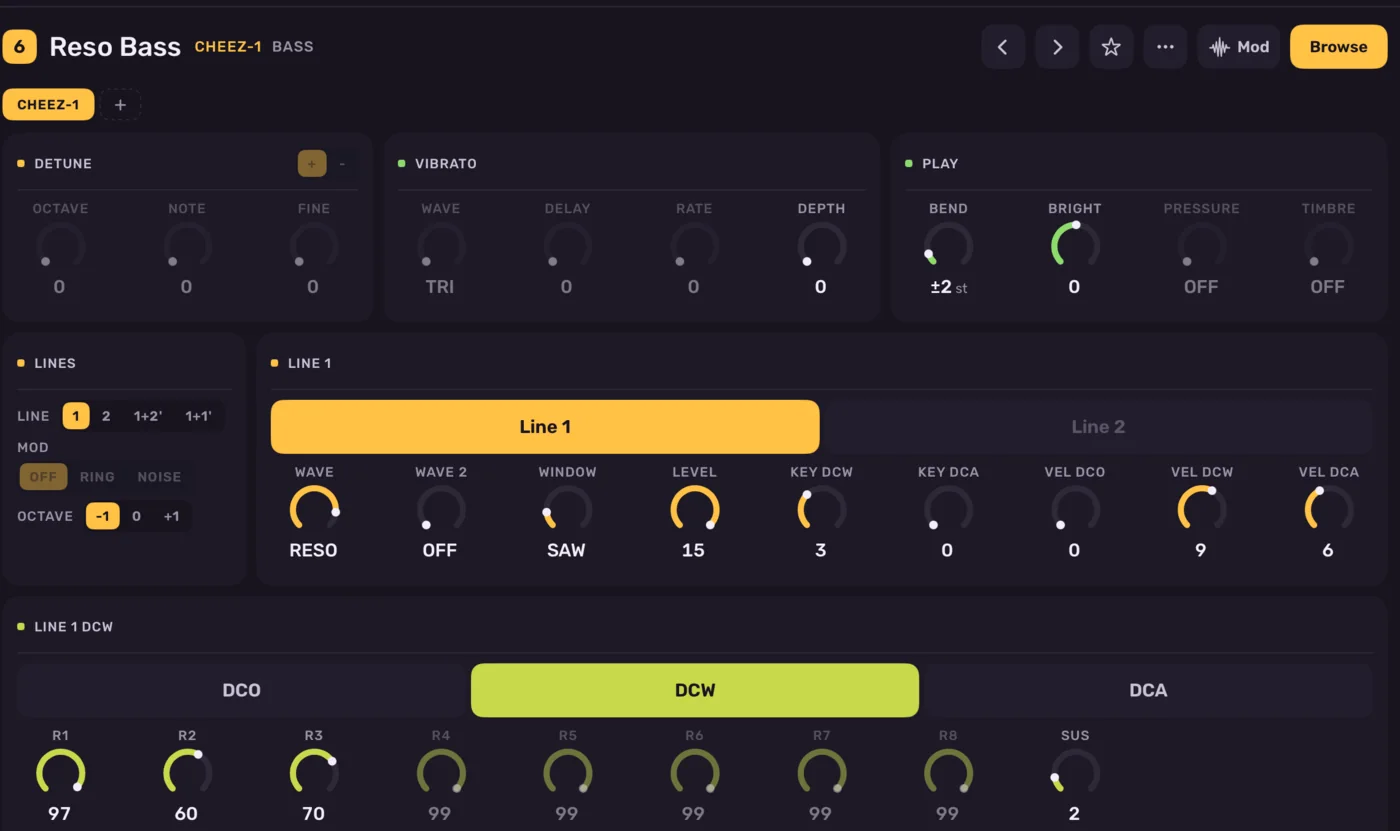
The Cheez-1 sound page

Phase distortion

Cheez-1

Resonant, glassy and a little strange, shaped by envelopes in eight steps. Import CZ tones from SysEx dumps.
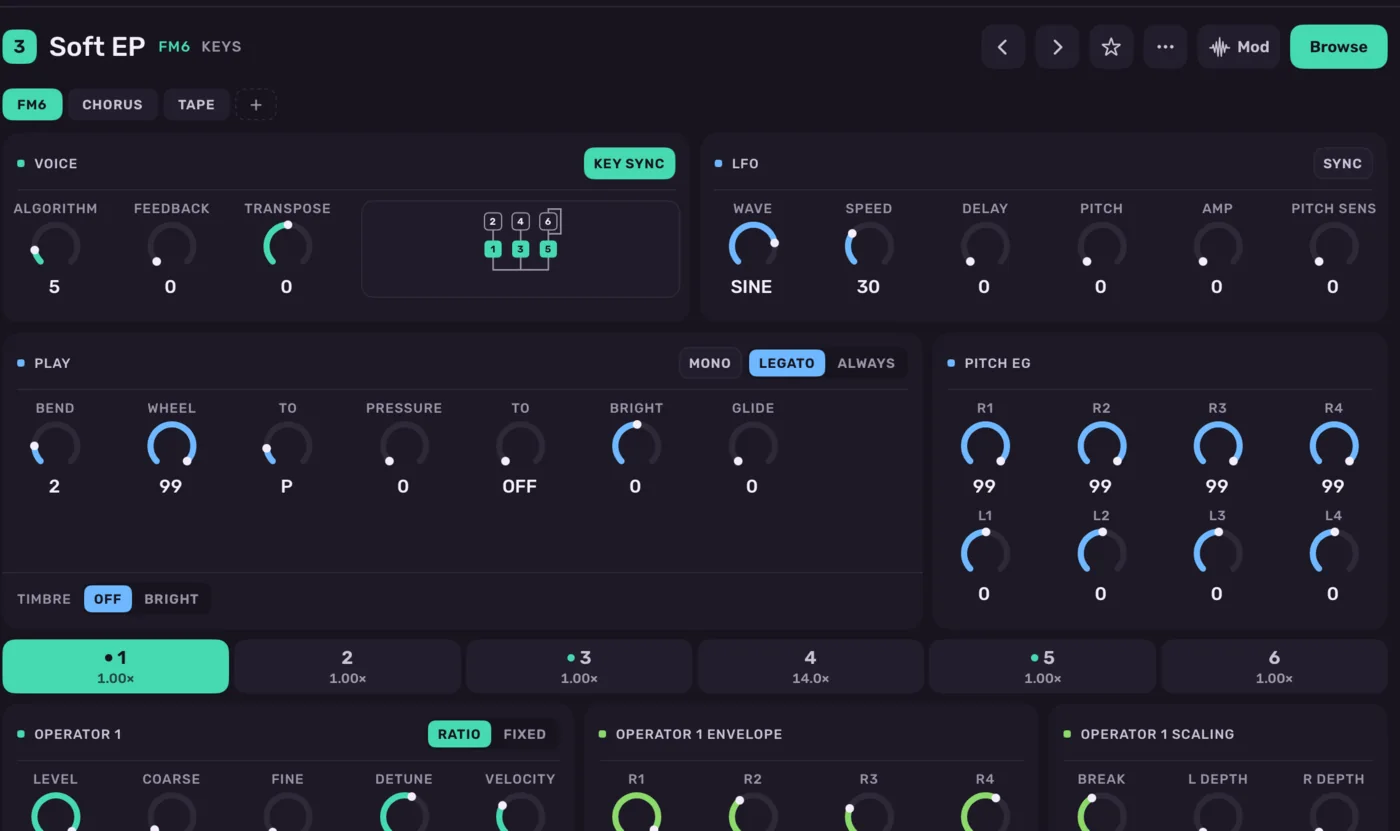
The FM6 sound page

Six-operator FM

FM6

Six operators and thirty-two algorithms, poly or mono and gliding. Import DX7 voices from SysEx dumps.
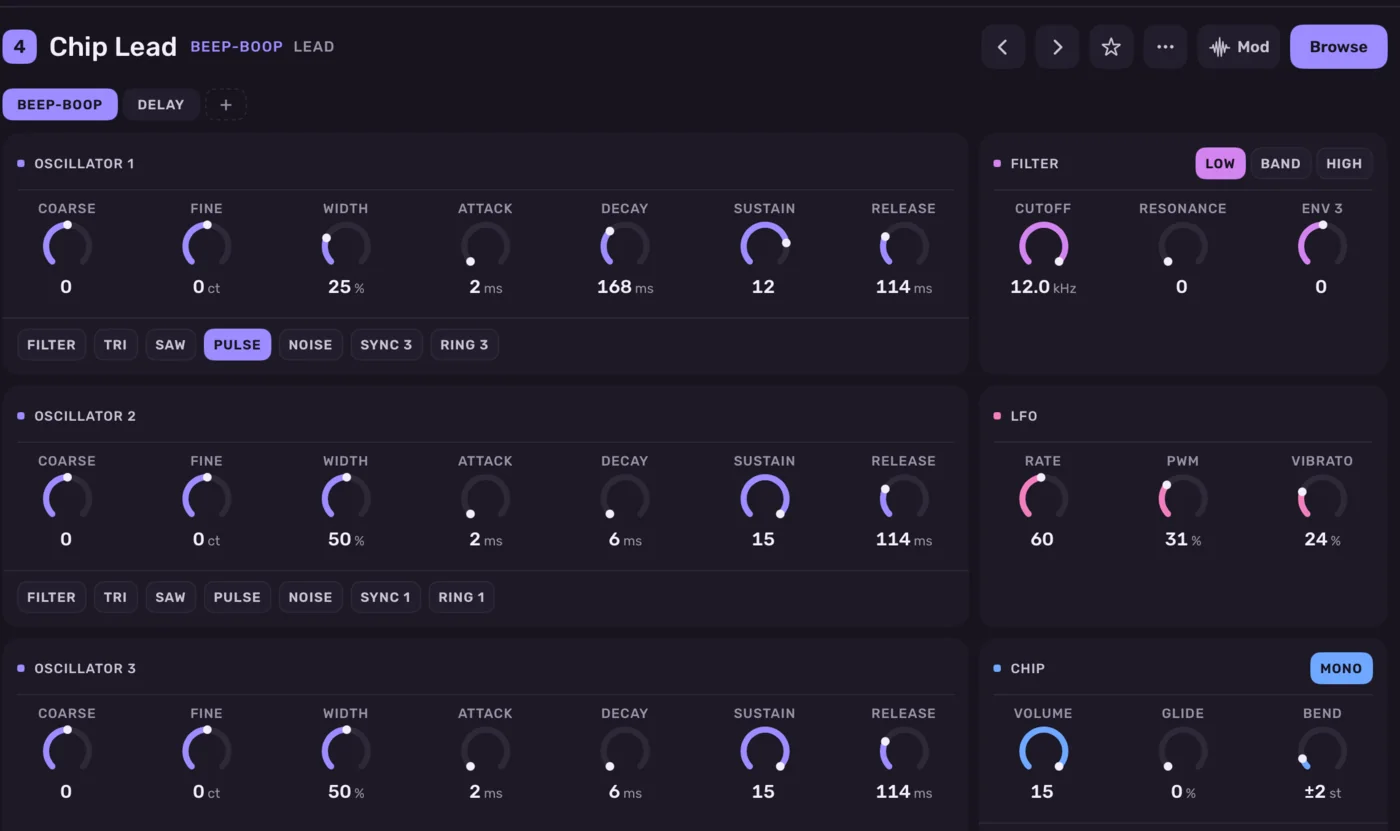
The Beep-boop sound page

A sound chip for every note

Beep-boop

Three chip voices per note, with sync, ring modulation and a filter. All the grit, none of the polyphony limits.
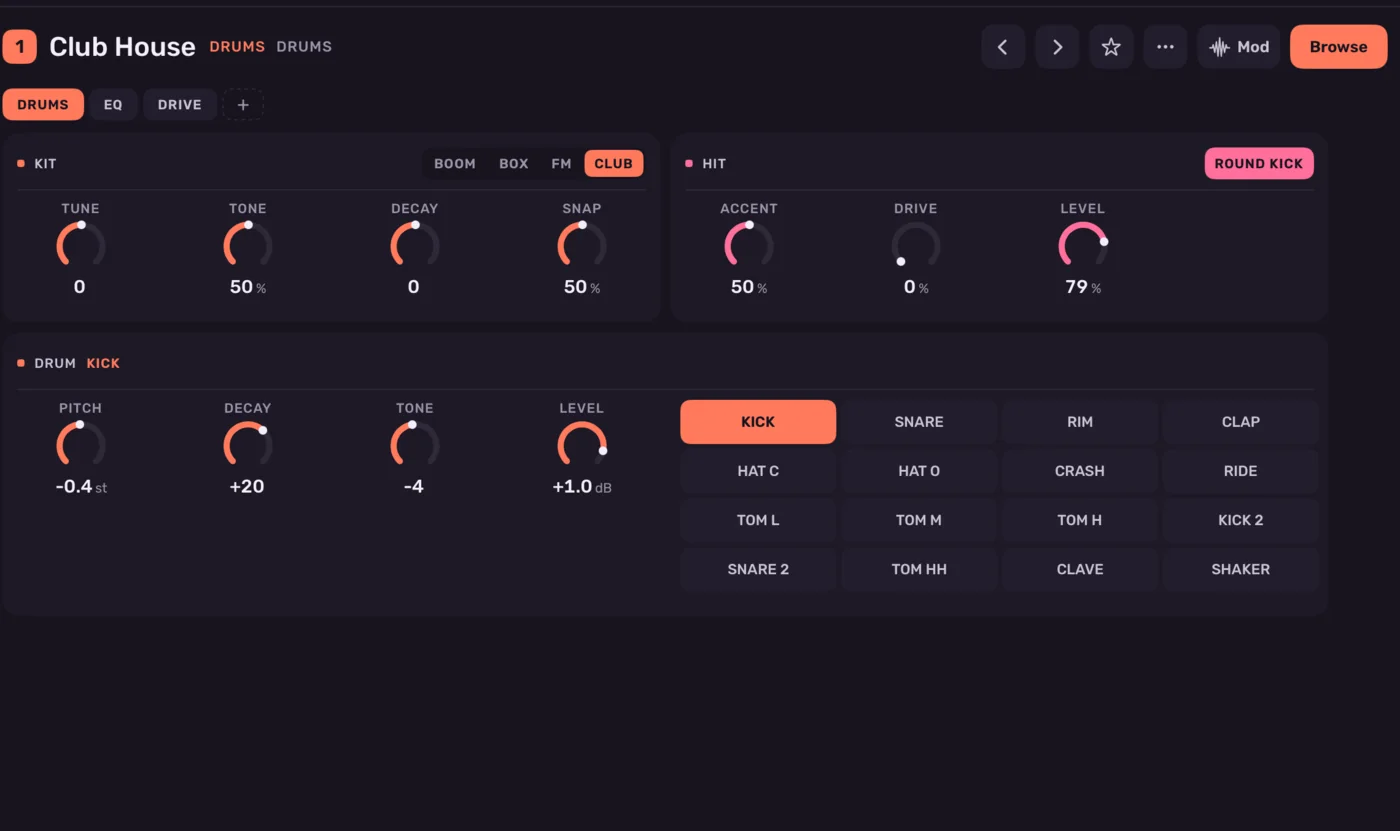
The Drums sound page

Four kits, sixteen hits

Drums

Boom, Box, FM and Club. Every drum is tuned, shaped and levelled on its own, with no samples involved.
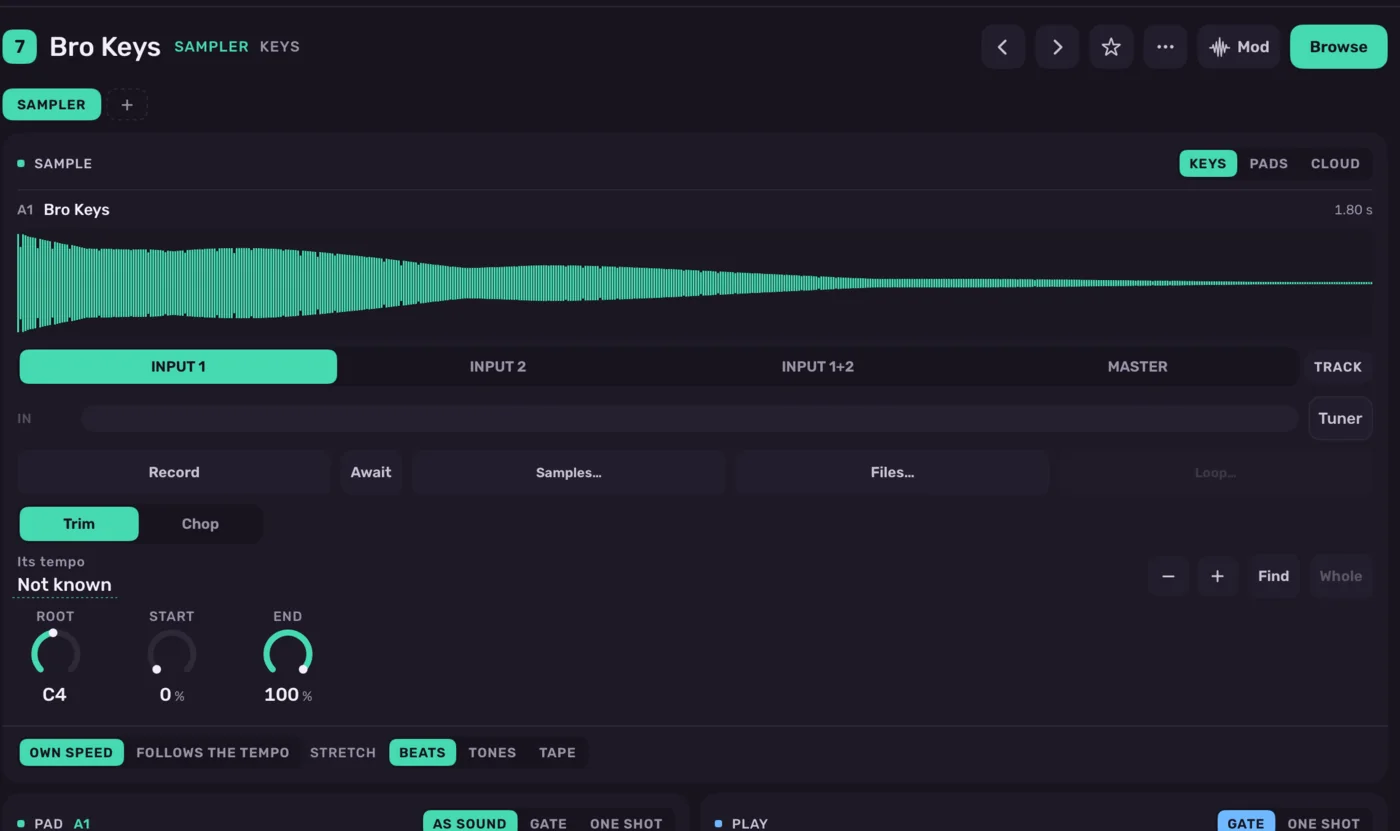
The Sampler sound page

Sixty-four pads, or a cloud

Sampler

Record, import or resample the mix. Chop a break onto pads at its hits, play one sound across the keys, or scatter it into a cloud of grains.

4Perform

Twenty-seven punches, and both hands free.

Hold one over the whole mix, on the song's grid, or latch it and walk away. Whatever you play goes into the song as sections, clips, punches and motion, in one step.
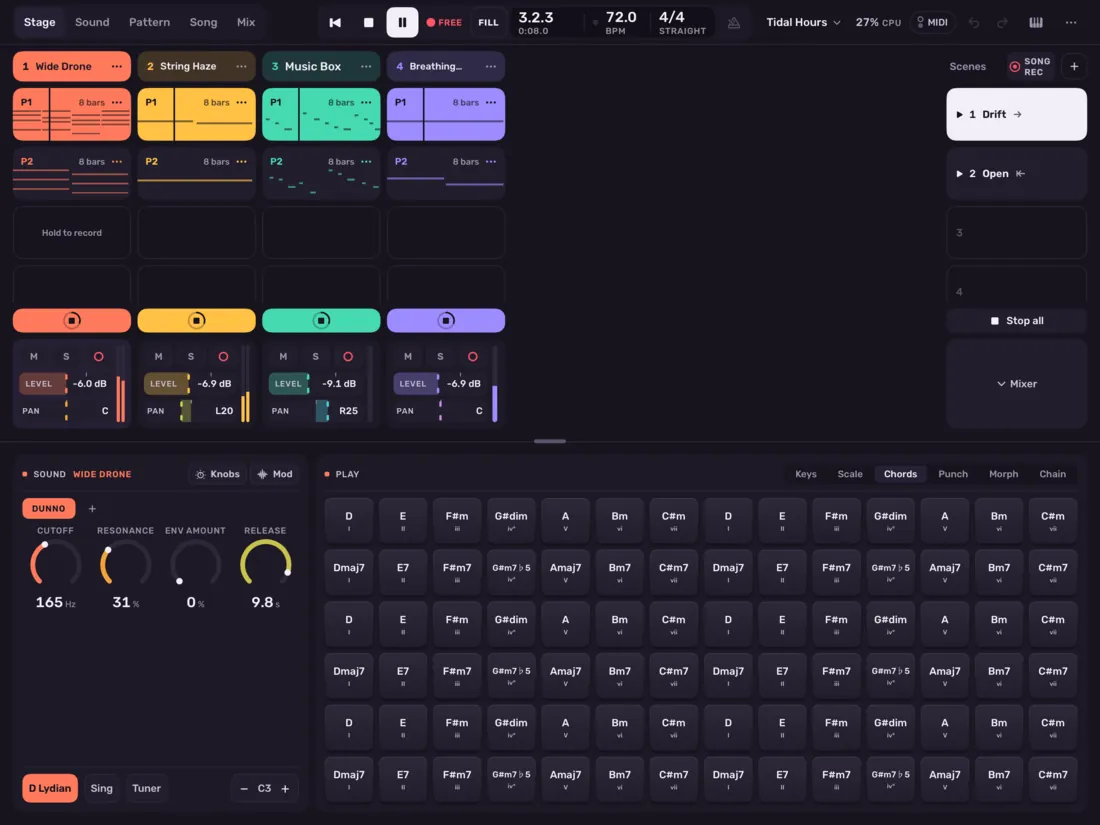
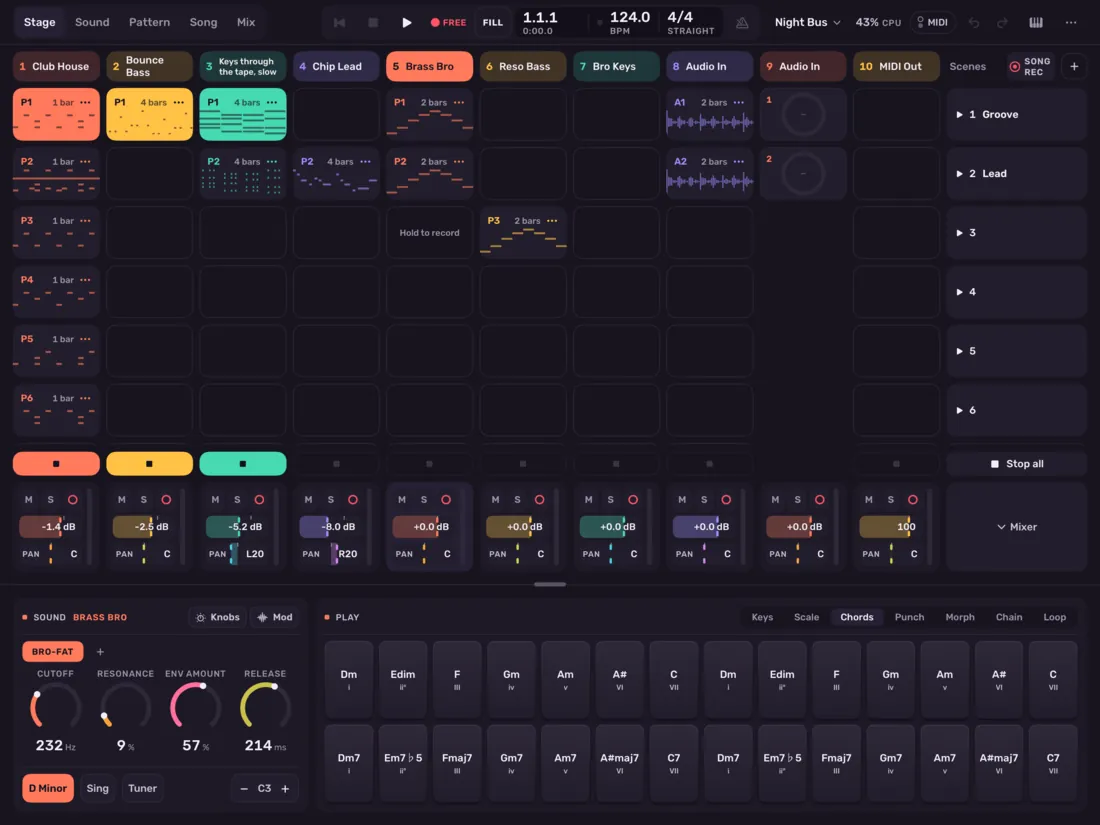
  • Scenes take over on the bar line and can wander on by themselves.
  • Morph between snapshots of a sound or the whole mix with one finger.
  • The looper sits on any chain as a pedal, with two loops and footswitches.
Tidal Hours on Stage, with chord pads in D Lydian
Tidal Hours on Stage, its scenes wandering, with chords in D Lydian under your fingers.
Ten tracks on Stage, with chord pads below
Ten tracks on Stage, every engine at once. Any number fits.

5Hear it

Four demos. Nothing but the app.

These are the demo songs that come with Ellic Studio, rendered offline by its own engine. Open any of them in the app and take them apart.

  • First Light

    A minor, 112 BPM

    A song of four sections, with a phase lead.

    0:53
  • Night Bus

    D minor, 124 BPM

    House, with scenes on Stage.

    0:56
  • Kites

    D Dorian, 90 BPM

    Music box, kalimba and strings.

    0:55
  • Tidal Hours

    D Lydian, 72 BPM

    Drones, a cloud of strings and bells.

    1:48

6In key

Every pad is the right note.

60 scales, microtonal ones too, and 10 historical and just tunings. Chords from any key, voiced and strummed, on the keys and pads you already play. Try it, then change the key.

Tap the kick on steps 1 and 9.

7Lessons

It shows you, on the real screen.

A tour and 52 lessons, each lighting up the button to press in the app itself. Start with a beat and end with a finished song, then go as deep as you like.

  • The first songA beat, a bass, chords, effects, a song, mix and share
  • Recording and samplesTakes, warping, slicing a break, the looper
  • Shaping and performingLFOs, macros, punches, the morph
  • Writing and finishingChance, sections, words, the master's chain

8Everything

The long list, for those who read long lists.

Factory sounds
399
Effects
20
Punches
27
Scales
60
Tunings
10
Lessons
52

Sequencer

  • Piano roll and drum grid with zoom, multiple selection, copy and paste
  • Chance, ratchet, slide and nudge on every note
  • Passes from 1:2 to 8:8, with fills held or tied to a scene
  • Drum lanes looping at their own lengths
  • Any time signature; speed, swing and gate per pattern
  • Euclidean rhythms, pattern variations and melodies from a drawn line
  • MPE recorded, drawn and played frame-exact

Song

  • Clips on a grid from two bars to a thirty-second, triplets or anywhere
  • Sections with their own tempo, meter and key
  • Takes in lanes, comped bar by bar
  • Audio clips with gain lines, fades, markers and warping
  • A lyrics lane, and chord charts shared as PDF
  • A tuner, and Sing: hum into the input to play the keys
  • Any track frozen to audio to spare the CPU

Sound

  • Stack any number of instruments on a track
  • Note effects before the sound: chords, arpeggios and more
  • A looper pedal on any track, bus or the master
  • A sound designer that walks a synth section by section
  • LFOs from eight minutes a cycle to 64 bars, and envelope followers
  • Sound packs to share and import
  • CZ, DX7 and Prophet-5 SysEx import

Mix

  • EQ, Filter, Formant, Compressor, Gate, Transient, Limiter, Multiband
  • Drive, Tape, Crush, Chorus, Flanger, Phaser, Tremolo, Width
  • Freq Shift, Delay, Reverb with Shimmer and Freeze, Plate
  • Sidechain from any track, bus or the input
  • Eight macros that turn anything
  • Latency compensation across the whole mix
  • Loudness metering, and dithered exports

Perform

  • Scenes with their own tempo, meter, swing and key
  • Follow actions, with chances, on the tick
  • Scenes that wander on by themselves, so Stage plays on endlessly
  • A long take of what you hear, up to two hours
  • Snapshots morphed by a finger, two on a strip or four on a pad
  • Four Stage knobs that turn anything, over your own ranges
  • A performance recorded into the song in one step

Connect

  • Audio Unit instruments, effects and MIDI effects inside the app
  • Its engines and patterns as Audio Units in other apps
  • MIDI over USB, Bluetooth and the network, with clock both ways
  • Launchpad, APC, Launch Control XL and MiniLab mapped on connection
  • Devices playing in time together on the local network
  • WAV, stems, MIDI files and DAWproject
  • Shortcuts, Siri, Spotlight, Control Center and a connected display

Ellic Remote

Have an M-VAVE FM-1? Give it a new job.

Free firmware turns it into a hands-on remote for the whole project, with screens, knobs and keys.

How it works

Coming to the App Store.

Free to download, with an optional Pro subscription. For iPad and iPhone.